ADA Compliance Checklist for Facilities and Digital Properties
ADA Compliance Checklist for Facilities and Digital Properties
TL;DR:
- An ADA compliance checklist verifies that physical and digital spaces meet accessibility standards mandated by the law. Regular audits and continuous documentation help organizations stay compliant and avoid costly retrofits and legal issues. Implementing compliance during design, not after construction, is critical for long-term accessibility and legal protection.
An ADA compliance checklist is a structured audit tool that helps compliance officers, facility managers, and business owners verify that physical spaces and digital properties meet the accessibility standards mandated by the Americans with Disabilities Act. The ADA, enforced by the Department of Justice, covers everything from door widths and parking dimensions to website color contrast and keyboard navigation. Treating this checklist as a living document, not a one-time exercise, separates organizations that withstand DOJ scrutiny from those that face costly retrofits and litigation. Modish Global Inc.'s Architectural Diagnostic Intelligence™ engine exists precisely to close the gap between what a facility looks like on paper and what it delivers in practice.
What does an ADA compliance checklist cover for physical facilities?
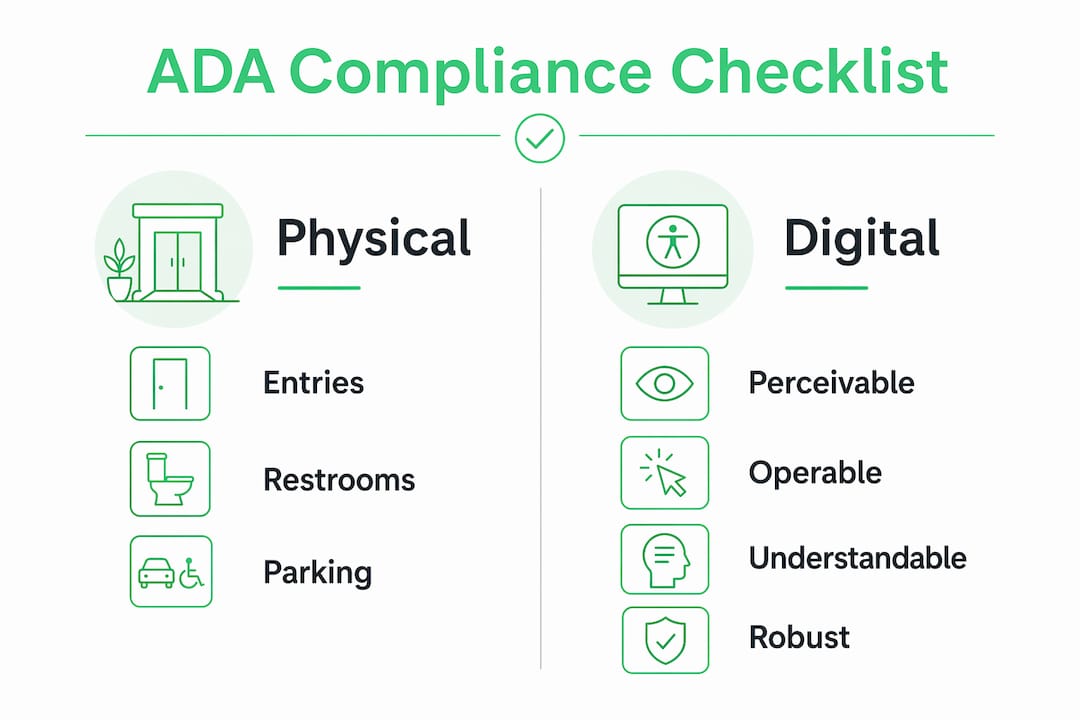
Physical accessibility compliance under the ADA addresses six core categories: accessible entries and routes, restrooms, signage, parking, common areas, and seating. Each category carries specific dimensional and operational requirements that facility managers must verify on a recurring basis.
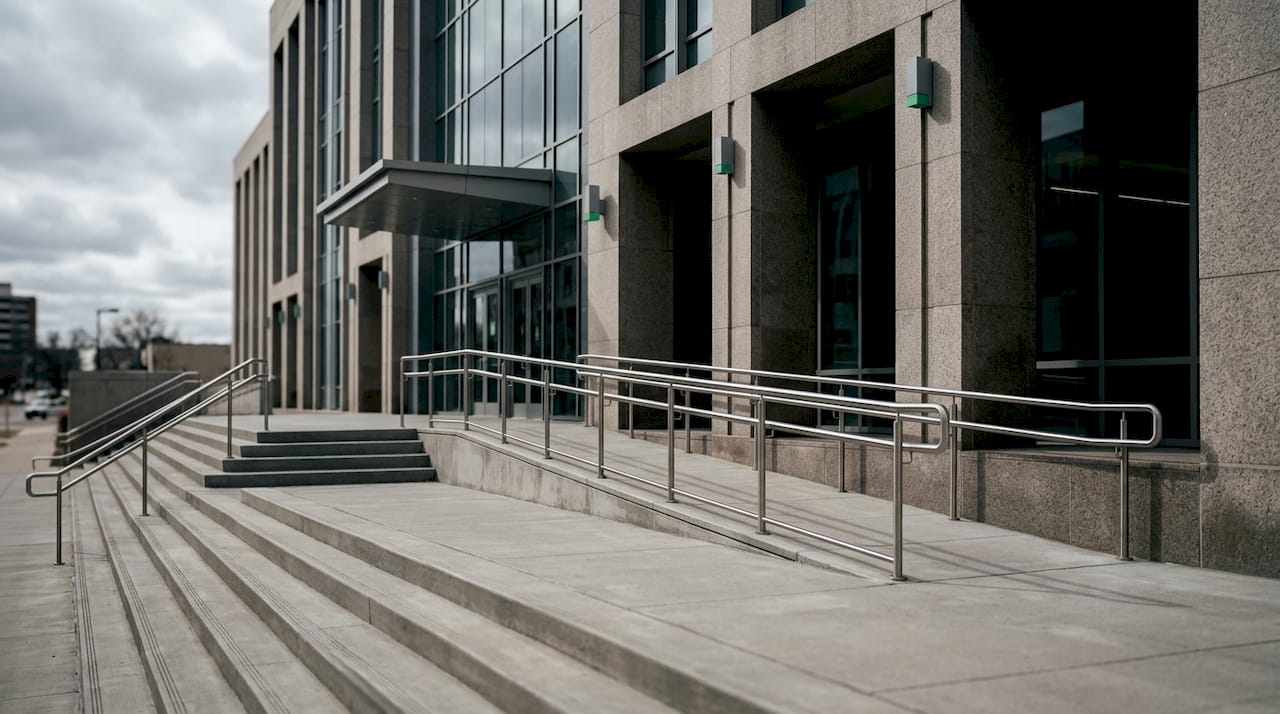
Accessible entries and routes require door clear widths of at least 32 inches when open at 90 degrees, with 36 inches preferred for primary routes. Ramps must maintain a maximum slope of 1:12, with handrails on both sides for runs exceeding 6 inches in rise. Thresholds cannot exceed 0.5 inches in height. These numbers are not suggestions. They are enforceable minimums under the 2010 ADA Standards for Accessible Design.
Restroom accessibility demands compliant fixture heights, grab bars at 33–36 inches from the floor, and tactile signage mounted at 60 inches above the floor to the centerline. Turning radius inside restroom stalls must accommodate a 60-inch diameter wheelchair turn.
Parking requirements scale with lot size. Accessible spaces must be the closest to the accessible building entrance, with a minimum width of 8 feet plus a 5-foot access aisle. Van-accessible spaces require an 8-foot aisle. Signage must be mounted at least 60 inches above the ground surface.
Common areas and seating must provide accessible routes throughout, with at least one accessible route connecting all public spaces. Fixed seating areas in assembly spaces must include companion seating adjacent to wheelchair spaces.
Early integration of these requirements during design reduces expenses and legal risk far more than post-construction retrofits. The cost differential between pre-design correction and post-occupancy remediation is significant, and lifecycle compliance built into operations from the start avoids that penalty entirely.
Pro Tip: Schedule physical accessibility walkthroughs during every major renovation phase, not just at project closeout. Catching a noncompliant threshold or grab bar placement before drywall goes up costs a fraction of what it costs after.
What are the core digital ADA compliance requirements?
Digital accessibility under the ADA is governed by WCAG 2.1 Level AA, which the Department of Justice has adopted as its technical standard for web accessibility. Large government entities faced a compliance deadline of april 24, 2026. Small entities have until april 24, 2027. Private businesses subject to Title III face the same WCAG 2.1 Level AA benchmark in DOJ enforcement actions.
A complete digital accessibility checklist includes these non-negotiable items:
- Color contrast ratio. Text must meet a 4.5:1 contrast ratio against its background. Large text (18pt or 14pt bold) requires a 3:1 ratio minimum.
- Alt text for images. Every meaningful image requires descriptive, concise alternative text. Decorative images use empty alt attributes so screen readers skip them.
- Keyboard navigation. All interactive elements, menus, forms, and modals must be fully operable without a mouse.
- Descriptive link text. Links labeled “click here” or “read more” fail WCAG 2.1 Success Criterion 2.4.4. Each link must describe its destination or function.
- Form labels and error identification. Every form field requires a programmatic label. Error messages must identify the specific field and explain how to correct it.
- Captions and transcripts. Pre-recorded video requires synchronized captions. Audio-only content requires a text transcript.
Effective digital compliance involves a minimum 30-step audit organized around WCAG’s four principles: Perceivable, Operable, Understandable, and Robust. Automated scanners catch approximately 30–40% of violations. Manual testing with screen readers and keyboard-only navigation reveals the complex barriers that no scanner detects.
Pro Tip: Run an automated scan first to identify surface-level issues, then follow with manual screen reader testing using NVDA or JAWS. The two methods together cover the full spectrum of WCAG failure points.
How to conduct an effective ADA compliance audit
A structured audit process protects organizations legally and operationally. The following sequence applies to both physical and digital compliance programs.
- Define scope and obligations. Identify which ADA titles apply. Title II covers state and local government. Title III covers places of public accommodation. Federal facilities carry additional obligations under Section 504 and Section 508.
- Assemble documentation. Gather existing floor plans, prior audit reports, remediation logs, and any previous DOJ correspondence before the walkthrough begins.
- Execute the physical walkthrough. Use a structured checklist mapped to the 2010 ADA Standards. Photograph every nonconformance with location metadata.
- Run digital automated scans. Use scanning tools to flag WCAG failures across all site templates, not just the homepage.
- Conduct manual digital testing. Test keyboard navigation, screen reader output, and form error handling on representative user flows.
- Document findings. Produce a remediation log that timestamps each finding, assigns severity, and identifies the responsible party for correction.
- Prioritize by impact and risk. Address barriers that block primary access routes or core digital functions first. Secondary issues follow in a phased remediation schedule.
- Implement fixes with operational collaboration. Facilities corrections require coordination between design, construction, and operations teams. Digital fixes require developer and content team alignment.
The following table summarizes audit documentation requirements by domain:
| Audit domain |
Required documentation |
Legal defensibility purpose |
| Physical facilities |
Walkthrough report, photo log, remediation schedule |
Demonstrates good-faith correction effort |
| Digital properties |
Automated scan report, manual test log, VPAT |
Supports DOJ inquiry response |
| Ongoing monitoring |
Timestamped audit cycles, accessibility statement |
Proves continuous improvement program |
Proactive compliance programs that maintain timestamped remediation logs and executive reporting protect organizations from DOJ enforcement risk far beyond having a clean website at a single point in time. Continuous monitoring is expected because content and regulatory standards change constantly.
What are the most common ADA compliance mistakes?
Most compliance failures trace back to four recurring errors:
- Relying solely on automated tools. Automated scanners catch only 30–40% of issues. Organizations that stop there leave the majority of barriers unaddressed and carry full legal exposure.
- Treating compliance as a one-time project. ADA compliance is a continuous operational requirement crossing both physical and digital domains. A facility that passes inspection today can fall out of compliance after a renovation or a content update.
- Skipping governance documentation. Accessibility overlays and automated tools alone do not produce the audit reports, remediation logs, and monitoring records that courts require. Overlays alone do not provide governance documentation required for legal defensibility.
- Confusing compliance with accessibility. Legal compliance is the floor, not the ceiling. True accessibility prioritizes the user experience of people with disabilities beyond the minimum standard.
Modish’s Architectural Diagnostic Intelligence™ engine addresses the physical side of this equation by identifying structural and environmental failure points before construction commits, rendering corrective solutions in federal submission-grade visualization. That capability eliminates the guesswork that leads to costly post-occupancy retrofits.
Pro Tip: Pair your automated digital scanning subscription with a quarterly manual audit cycle and an annual physical walkthrough. That combination produces the documentation trail that satisfies both DOJ inquiries and internal governance requirements.
Key Takeaways
ADA compliance requires a continuous, documented program covering both physical facilities and digital properties, not a single audit event.
| Point |
Details |
| Physical compliance is dimensional |
Door widths, ramp slopes, parking dimensions, and grab bar heights are enforceable minimums under the 2010 ADA Standards. |
| Digital compliance follows WCAG 2.1 AA |
DOJ mandates WCAG 2.1 Level AA; color contrast, alt text, and keyboard navigation are non-negotiable checklist items. |
| Automated tools cover only part of the picture |
Scanners catch 30–40% of digital violations; manual testing and screen reader evaluation are required for full coverage. |
| Documentation is your legal defense |
Timestamped remediation logs, audit reports, and accessibility statements protect against DOJ enforcement actions. |
| Early integration reduces cost |
Addressing compliance during design phases costs far less than retrofitting after construction or launch. |
Why I treat ADA compliance as an architectural intelligence problem
Most compliance programs I have seen treat ADA requirements as a checklist to clear and then file away. That approach fails in practice. The physical environment changes. Content changes. Regulations tighten. What passed inspection two years ago may not pass today.
The organizations that hold up under DOJ scrutiny are the ones that built compliance into their operational rhythm from the start. They do not scramble when an inquiry arrives because their remediation logs, audit cycles, and governance documentation are already in order. That discipline is not bureaucratic overhead. It is the difference between a defensible program and a liability.
What I find most compelling about Modish’s position is that Architectural Diagnostic Intelligence™ addresses the problem before it becomes a problem. Identifying a noncompliant threshold or a structural barrier in the pre-design phase, rendered in federal submission-grade visualization, is categorically different from discovering it during a DOJ walkthrough. The accessible design standards that govern federal and commercial facilities are not static. Treating them as a living operational framework, rather than a compliance checkbox, is the only approach that holds.
— Ben
Modish and ADA compliance: architectural intelligence at the source
Compliance officers and facility managers who need more than a checklist have a specific resource available.
Modish is the only Disability:IN-certified DOBE architectural diagnostic intelligence firm in the United States. Its Architectural Diagnostic Intelligence™ engine identifies structural, environmental, and code compliance failure points in commercial and federal facilities before construction commits. Each Space generates up to 192 corrective visualization options rendered in federal submission-grade quality. For organizations managing ADA compliance across multiple facilities or federal A&E pursuits, Modish delivers both the diagnostic depth and the diverse spend credit that Fortune 500 procurement teams require. Engagements start at $9,500 for a single-facility pilot. Explore the full scope of diagnostic intelligence services to understand what pre-design compliance identification looks like at the federal and enterprise level.
FAQ
What is an ADA compliance checklist?
An ADA compliance checklist is a structured audit tool that verifies physical spaces and digital properties meet the accessibility requirements of the Americans with Disabilities Act. It covers dimensional standards for facilities and WCAG 2.1 Level AA criteria for digital properties.
What WCAG standard does the DOJ require for websites?
The Department of Justice requires WCAG 2.1 Level AA for digital accessibility. Large entities faced a deadline of april 24, 2026; small entities have until april 24, 2027.
Automated scanners catch approximately 30–40% of digital accessibility violations. Full compliance requires manual testing with screen readers and keyboard-only navigation to identify complex barriers that automated tools miss.
How often should a facility conduct an ADA audit?
ADA audits should occur at every major renovation phase and on an annual cycle for ongoing operations. Digital properties require continuous monitoring because content updates and regulatory changes can introduce new compliance gaps at any time.
What documentation is required for ADA legal defensibility?
Organizations need timestamped remediation logs, audit reports, manual test records, and an accessibility statement. Courts and DOJ investigators look for evidence of a continuous improvement program, not just a clean snapshot at one point in time.
Recommended